Get Help Fast with Roblox Support | Gaming Aid
Anúncios
Getting help with Roblox is key when you face challenges in the game. If you’re dealing with technical issues or account problems, quick support is essential. This guide will show you how to use Roblox’s customer service effectively. You’ll learn to get the help you need fast, making your gaming better.
Introduction to Roblox Support
Roblox Support helps improve the gaming fun for everyone by assisting with problems. The Roblox Support overview shows it’s there to help players get the assistance they need quickly. It’s vital for players to know how Roblox support works to tackle issues like account troubles, game bugs, or technical problems easily.
Anúncios
A good support system keeps players happy. When looking for help, players might face issues like figuring out the support site or knowing how long it will take to get a reply. Understanding Roblox Support can make gaming smoother and more fun for the player.
Common Issues Faced by Roblox Players
Roblox players often face various challenges that impact their game. It’s important to recognize these issues for players and find solutions. The community deals with several common problems:
- Account bans due to moderation claims, which can happen without clear explanations.
- Difficulties with purchases and subscriptions, often leading to frustration during gameplay.
- Slow response times from support, leaving players waiting for resolutions.
- Inconsistent support quality, where solutions provided may not address the actual issue.
These problems show the need for a strong support system for Roblox players. As the platform grows, fixing these issues is key to keeping players happy and loyal.
How to Contact Roblox Support
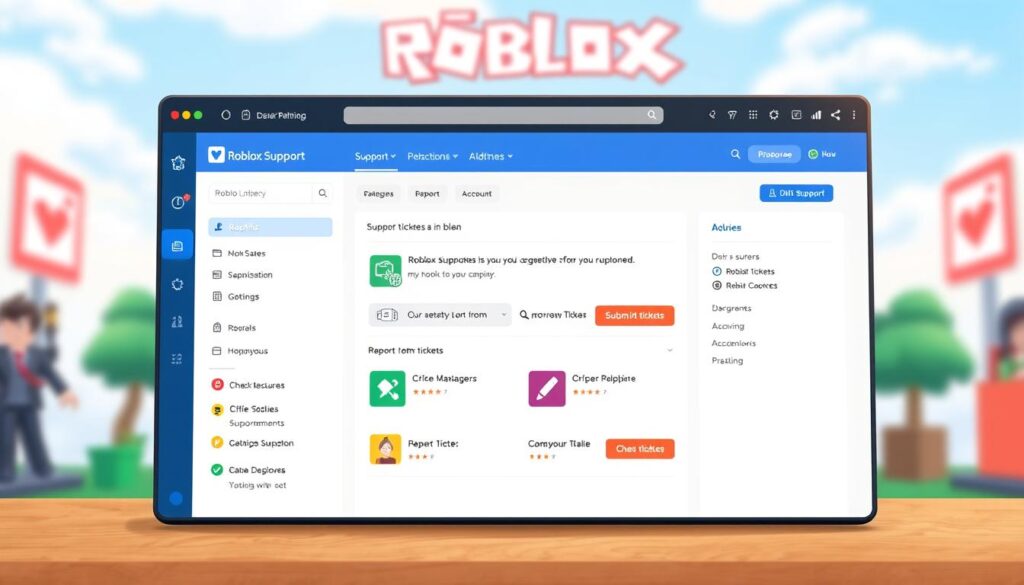
Roblox players sometimes run into problems while playing. It’s key to know how to get in touch with Roblox support. Just go to the Roblox website and look for the support page made to help users.
To contact Roblox support, just follow these steps:
- Go to the Roblox support page. It’s set up to help with common issues.
- Pick the problem you’re having. Problems can include billing issues or needing to recover your account.
- If you have a more specific issue, submit a ticket. Make sure to fill out all the needed details so they can help you quickly.
- When explaining your issue, include your account info and any error messages. This will help solve the problem faster.
Sometimes, asking other players in community forums can also help. Talking with others might give you a quick fix. When you reach out to Roblox support in a clear and detailed way, you’re more likely to get your issue resolved fast.
Response Times and What to Expect from Roblox Support
When you need help from Roblox support, response times vary. You might get an answer in 30 minutes or wait weeks. It depends on how complex your issue is. Simple questions often get faster replies than harder ones.
Many players have talked about waiting a long time for answers. Remember, being patient is key when you send a support ticket. Your issue matters, but the team gets a lot of requests. This can affect how quickly they respond to you.
To help speed up the process, be very clear about what’s wrong. Giving detailed information can get you a quicker fix. It also helps the support team understand you better.
Understanding Automated Responses from Roblox Support
Roblox uses automated replies for quicker customer support. These instant answers help with common problems players face. They reduce the workload of the support team by resolving simple issues fast.
But, these automated messages aren’t perfect. Some players feel frustrated by the generic replies, especially when they need detailed help. They feel their unique issues are overlooked.
Knowing how Roblox handles support can set realistic expectations. Here’s what you should know about automated responses:
- Automated messages tackle common questions like account problems, game bugs, and payment issues.
- They offer quick fixes, shortening the wait for answers to straightforward troubles.
- For complex problems, players may have to ask for further help beyond the automated replies.
Automated support speeds things up, but can fall short on personal issues. Acknowledging the strengths and limits of these responses is key for a better support experience.
Tips for Effective Communication with Roblox Support
Talking to Roblox Support? Remember to be clear and polite. This ensures you get the help you need. Here are some tips to make your communication better:
- Be Concise Yet Detailed: Begin with a quick overview of your problem. Then, add details to clearly explain your issue. This way, the support team quickly grasps your challenge without extra, unneeded info.
- Use Specific Language: Use clear terms to describe your problem. Don’t just say something doesn’t work. Detail the action you’re trying and what error message shows up.
- Follow Up on Open Tickets: If you don’t hear back soon, check in again. Showing you’re still concerned can help get faster support.
- Maintain a Respectful Tone: Being polite can make a big difference. Appreciating the support team’s efforts can lead to a better outcome.
Being clear and respectful makes it easier to solve your Roblox issues.
Alternative Support Options for Roblox Users
Roblox players looking for help have many options beyond official support. These resources provide fast solutions and new insights. They address issues not covered by standard support.
- Community Forums: Talking with other players in forums can give you quick help. People share their experiences, making it easier to fix common problems.
- Social Media Channels: Sites like Twitter or Reddit are where users talk about issues and share advice. This often means getting answers more quickly.
- Content Creators: YouTubers and streamers make videos and guides for Roblox challenges. Their tips can improve your game and offer solutions not in official guides.
- Advocacy Groups: Some groups work to make gaming better for everyone. They give advice and help players deal with challenges.
These community support options add to the official help from Roblox. They make finding solutions within the game fuller and more varied.
Feedback on Roblox Support Experiences
Many players talk about their experiences with Roblox support, pointing out its good and bad sides. While some are happy with the help they get, others are upset by slow replies and fixes that don’t work.
Players often mention these issues:
- Many are worried about how long it takes to get a response, saying it messes with their game time.
- Some feel that the help they receive doesn’t fully solve their problems.
- There are shoutouts for support team members who really made a difference, highlighting positive interactions with Roblox help.
From all the feedback, a clear message stands out. Players want faster and better solutions for their issues. This shows Roblox could make their support service even better.
Conclusion
Reflecting on Roblox support, we see how crucial it is to have good help. This article talked about the common problems players run into, how they can reach out to Roblox for help, and what kind of answers they can expect. We’ve seen that Roblox is dedicated to supporting its players, but there’s still room to get better.
It’s important for players to share their experiences with Roblox support. They should also push for improvements to make the support system stronger. We’ve learned that good communication and feedback are key. They make the support system more effective and friendly for every player on Roblox.
By actively seeking help and sharing what we learn, Roblox gets better for all of us. If we keep talking openly with the support team, we can make playing games on Roblox more fun for everyone. This teamwork helps improve the overall gaming experience.
FAQ
What types of issues can I get help with from Roblox Support?
You can get help from Roblox Support for various issues. This includes problems with accessing your account and technical difficulties in games. They also offer advice on purchases and information on subscriptions. Besides, they look into account bans and issues with moderation.
How do I contact Roblox Support if I’m facing issues?
To reach out to Roblox Support, visit the official support page on their website. You can submit a support ticket there. You can also look for help in community forums. Remember to give clear details about your problem to improve your chances of getting it fixed.
What are the expected response times from Roblox Support?
The time it takes to get a reply from Roblox Support can vary. It may take them from 30 minutes to several weeks to respond depending on the issue. Players should be ready for possible waiting times.
Why do I receive automated responses from Roblox Support?
Automated responses are meant to quickly address common issues. They provide a first step in solving problems. However, many players find they don’t always get detailed help for their specific issues.
What can I do to improve my communication with Roblox Support?
To communicate better, make your issue description to the point but clear. Always follow up on your open tickets. It’s important to stay respectful throughout. Clear and steady communication can greatly increase your chances of getting the help you need.
Are there alternative support options besides Roblox Support?
Indeed, there are more ways to find help outside of Roblox Support. Players can check out community forums and social media. Content from creators or advice from advocacy groups might also be helpful. These could offer faster or different solutions.
What do other players think about their experiences with Roblox Support?
A lot of players are unhappy with the slow responses and sometimes the unhelpful solutions from Roblox Support. Many feel there’s a big need for the support system to get better. This would make the players happier with the service.